BoardHydra

Kanban boards, six ways

See your work
from every angle.

BoardHydra turns one board into a table, a calendar, a timeline, a dashboard and a map, with your whole team editing live. Plan the work, then look at it the way the moment needs.

Free plan · No credit card needed

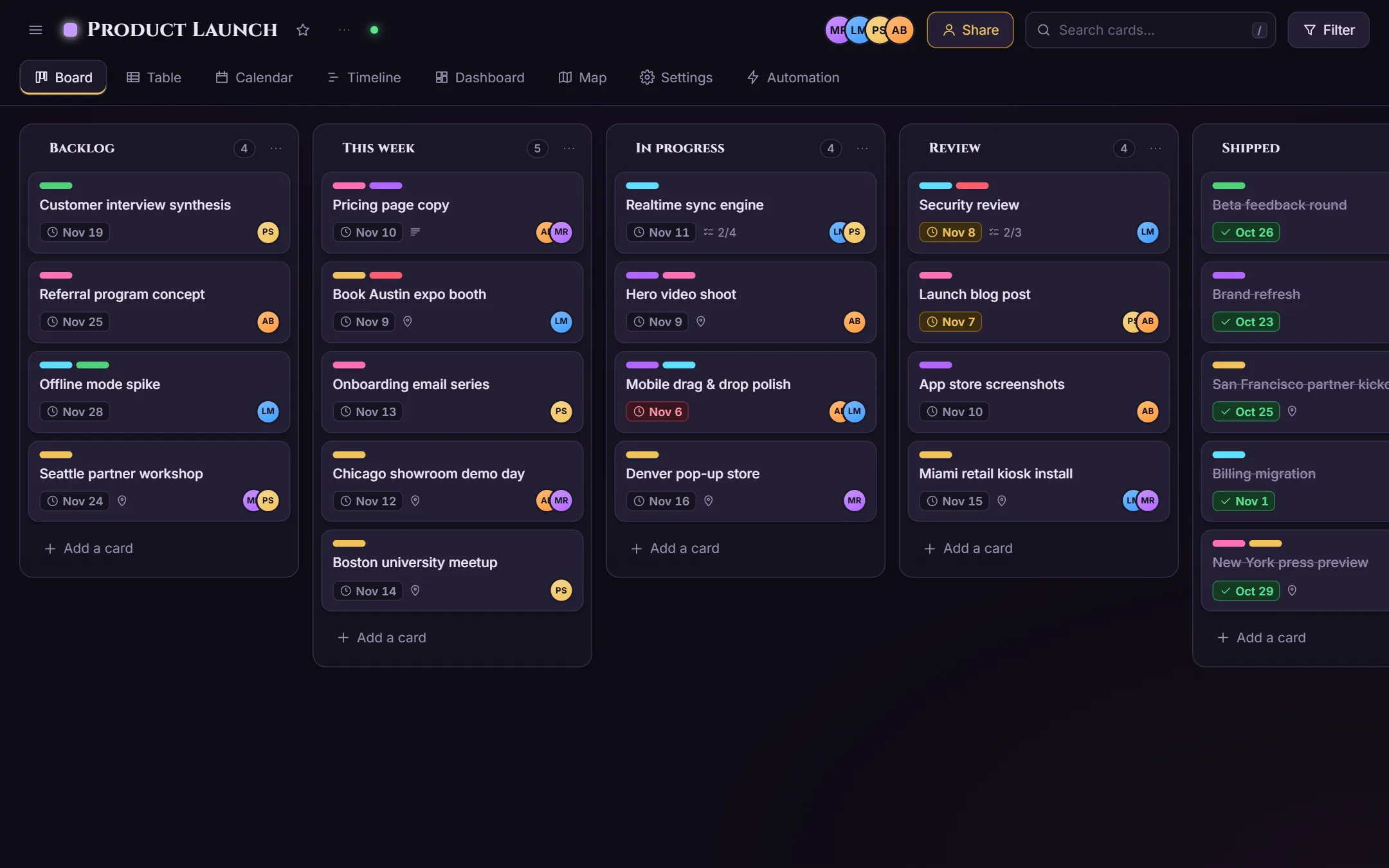
A BoardHydra board called Product Launch with five lists: Backlog, This week, In progress, Review and Shipped. Cards show colored labels, due dates, checklist progress and teammate avatars.

One board, six views

Every card, wherever you need it

Cards keep their labels, dates, members, checklists and locations in every view. Change something in one view and it updates in all of them.

Board

The kanban board you know: drag cards between lists, drag whole lists to reorder them, and tick cards complete right where they sit.

  • Unlimited boards, lists and cards
  • Labels, members, due dates and checklists on every card
  • Search and filter by label, member or due date
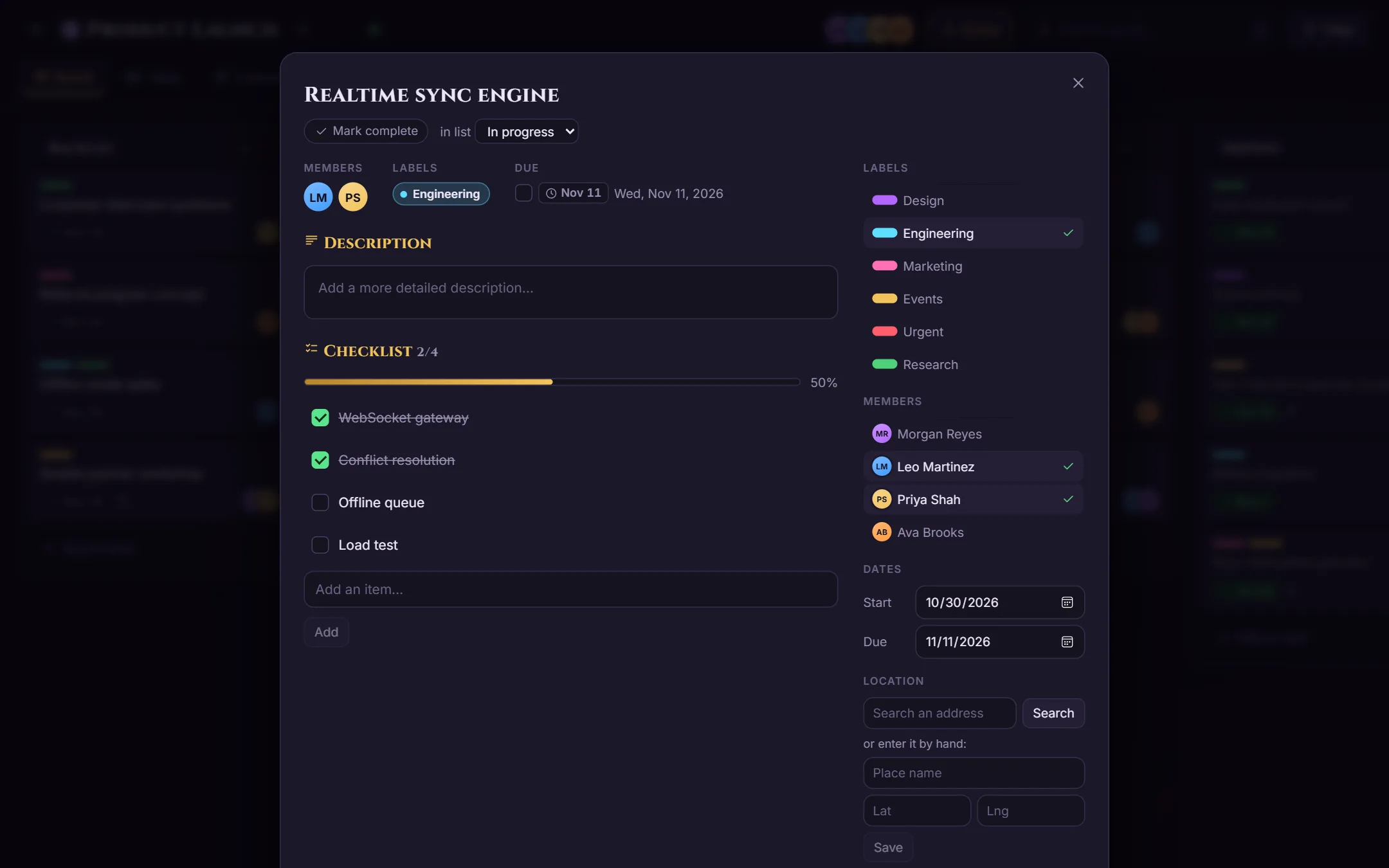
An open card showing its description, labels, members, start and due dates, and a checklist that is half done.

Table

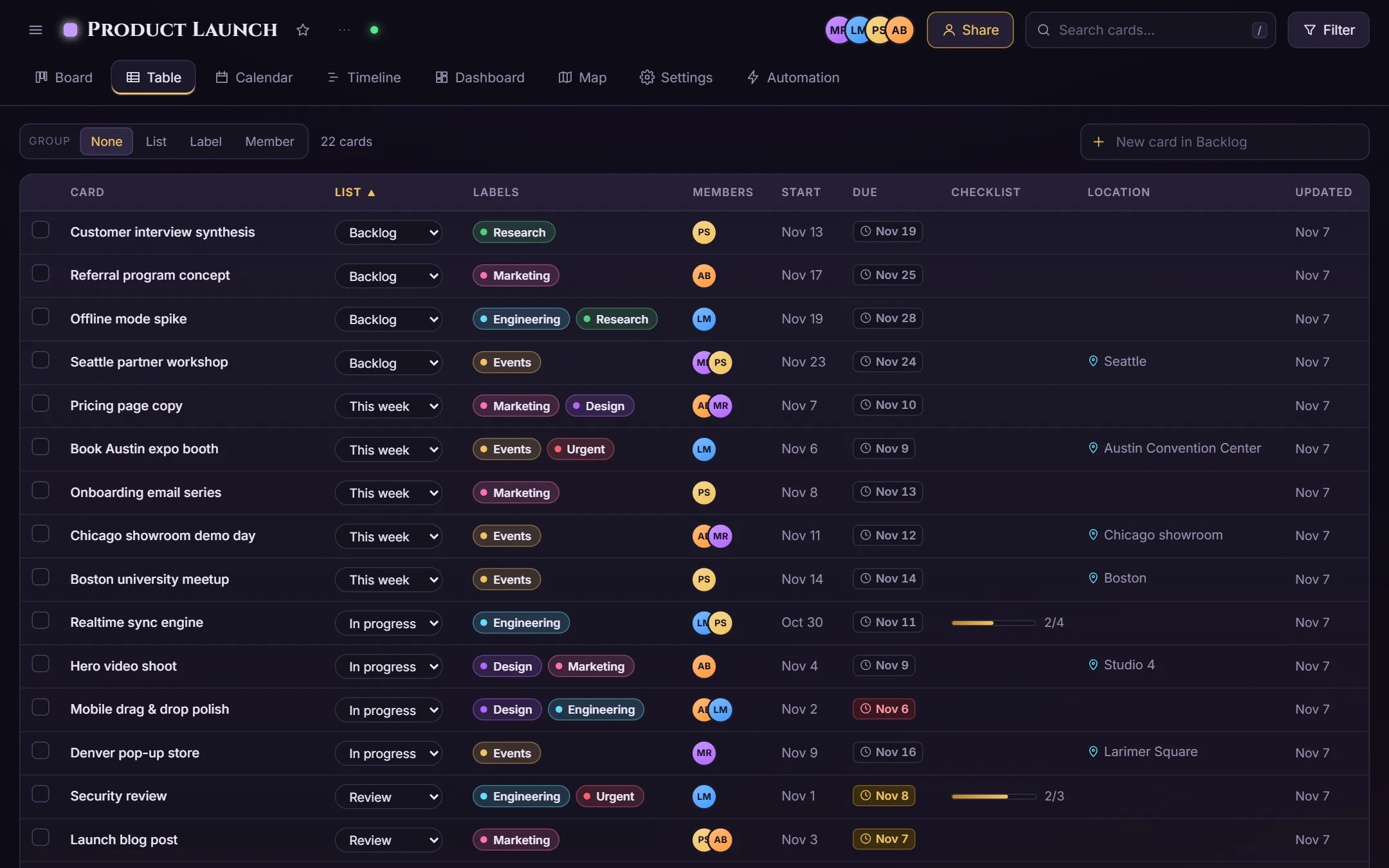
A spreadsheet-style list of every card on the board. Sort by any column, group the rows, check things off and scan dates at a glance.

  • Sort by any column; group by list, label or member
  • Mark cards complete straight from the table
  • Included on the Free plan
The table view listing every card with columns for list, labels, members, start date and due date.

Calendar Pro

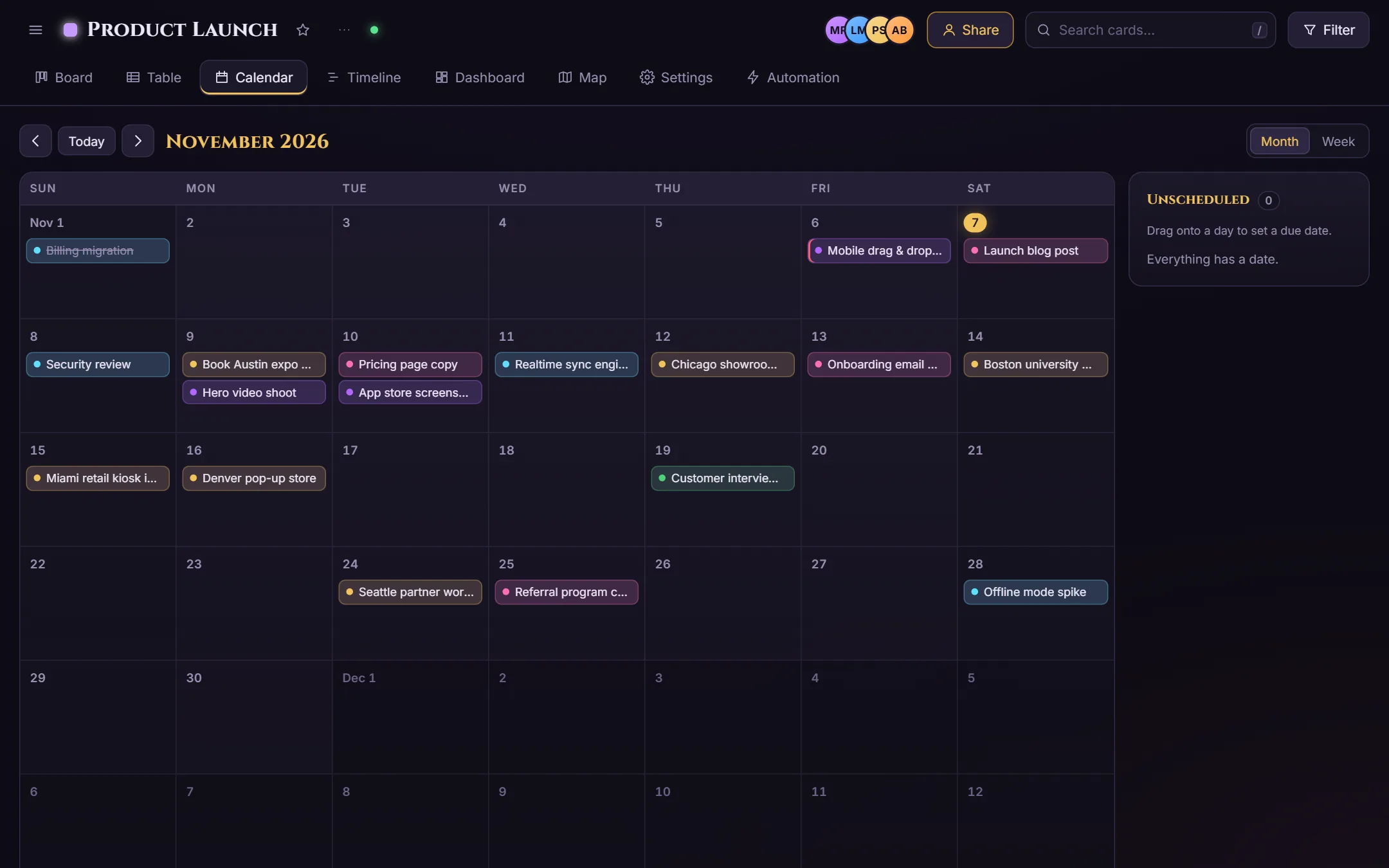
See what's due this month and drag a card to another day to reschedule it. Overdue and due-soon cards stand out on their own.

  • Month view with every dated card
  • Drag and drop to change due dates
A month calendar with cards placed on their due dates, colored by label.

Timeline Pro

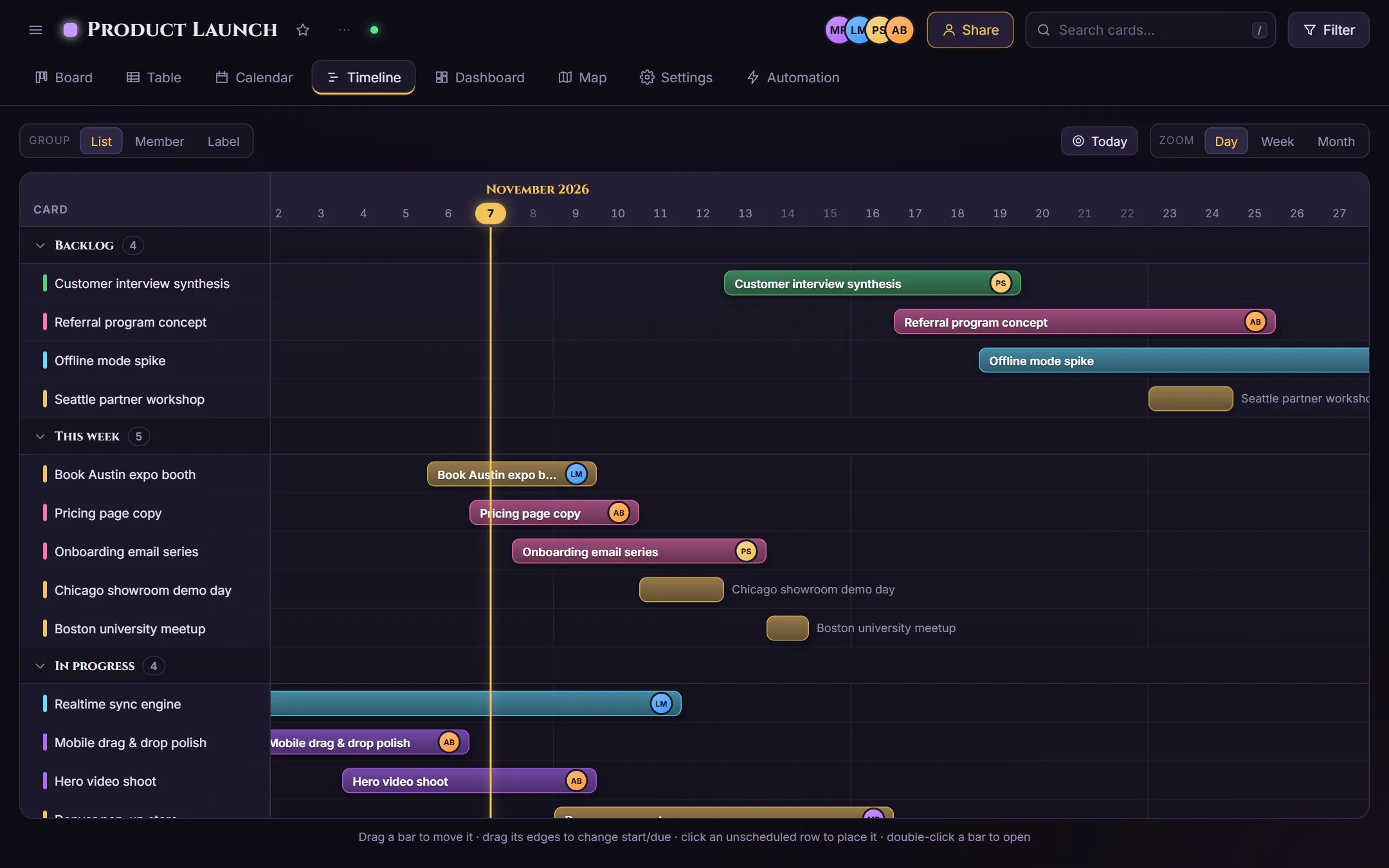
A Gantt-style timeline from each card's start date to its due date. Drag a bar to move it, or drag its ends to change the dates.

  • Group by list, member or label
  • Day, week and month zoom
  • A today line so nothing sneaks up on you
The timeline view: cards as horizontal bars across November, grouped by list, with a line marking today.

Dashboard Pro

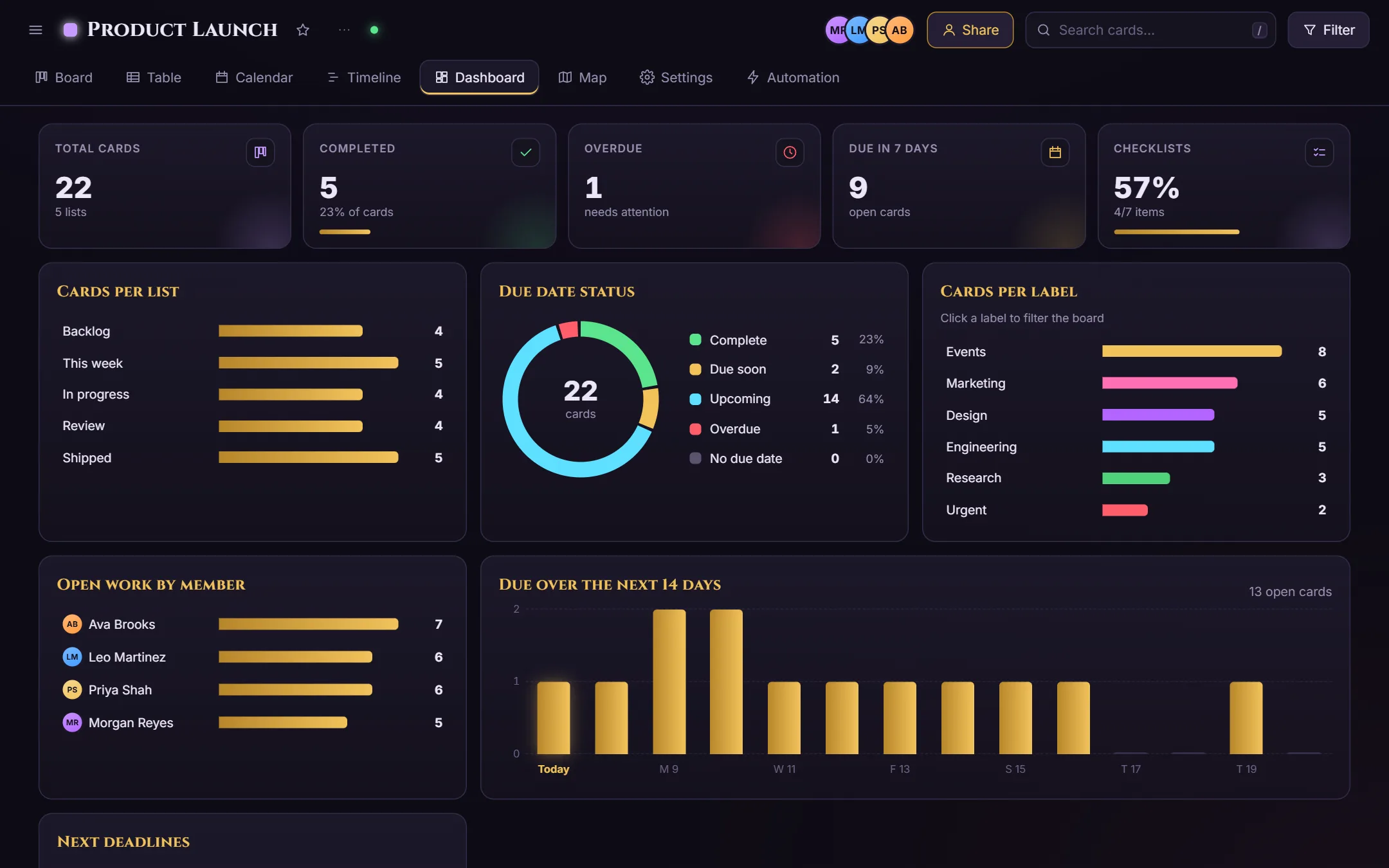
Charts that update as you work: cards per list and label, due date status, open work per teammate, and what's due over the next two weeks.

  • Spot overdue work and overloaded teammates
  • Click a label to filter the board
A dashboard with totals for cards, completed, overdue and due in seven days, plus bar charts by list, label and member and a due-date donut chart.

Map Pro

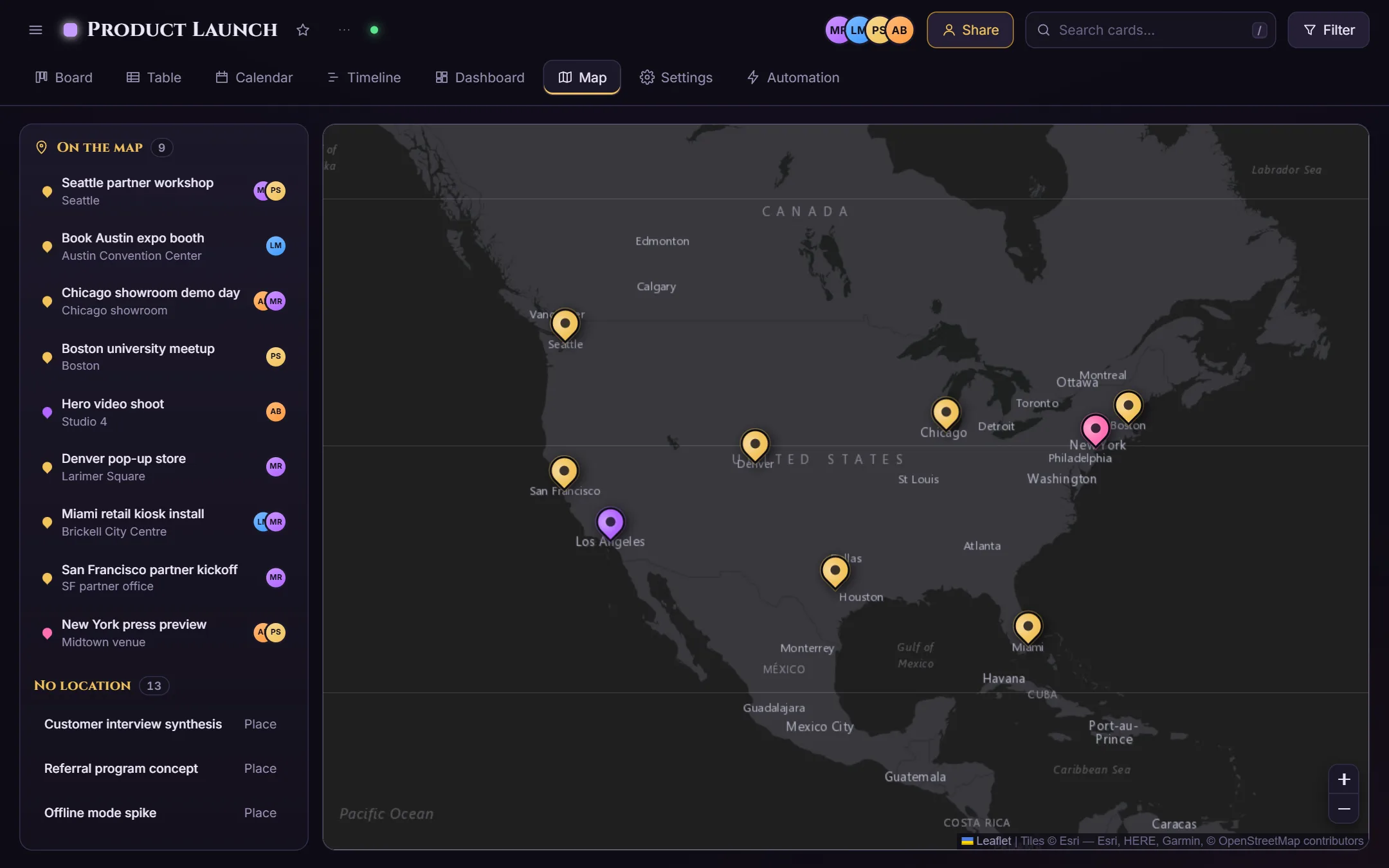
Give a card a place and it shows up as a pin. Great for site visits, events, field work and anything that happens somewhere.

  • Search an address or drop a pin
  • Pins take the color of the card's label
A dark map of North America with card pins in Seattle, San Francisco, Los Angeles, Denver, Austin, Chicago, New York, Boston and Miami.

Automation

Let the board do the busywork

Build rules in plain English: pick a trigger, then add up to ten actions. Rules run on the server, so they fire no matter who makes the change, from any view or the API.

  • When a card is completed, moved, created or labeled
  • Then move it, label it, assign people, set a due date, finish its checklist or archive it
  • Start from ready-made templates and switch rules on or off any time
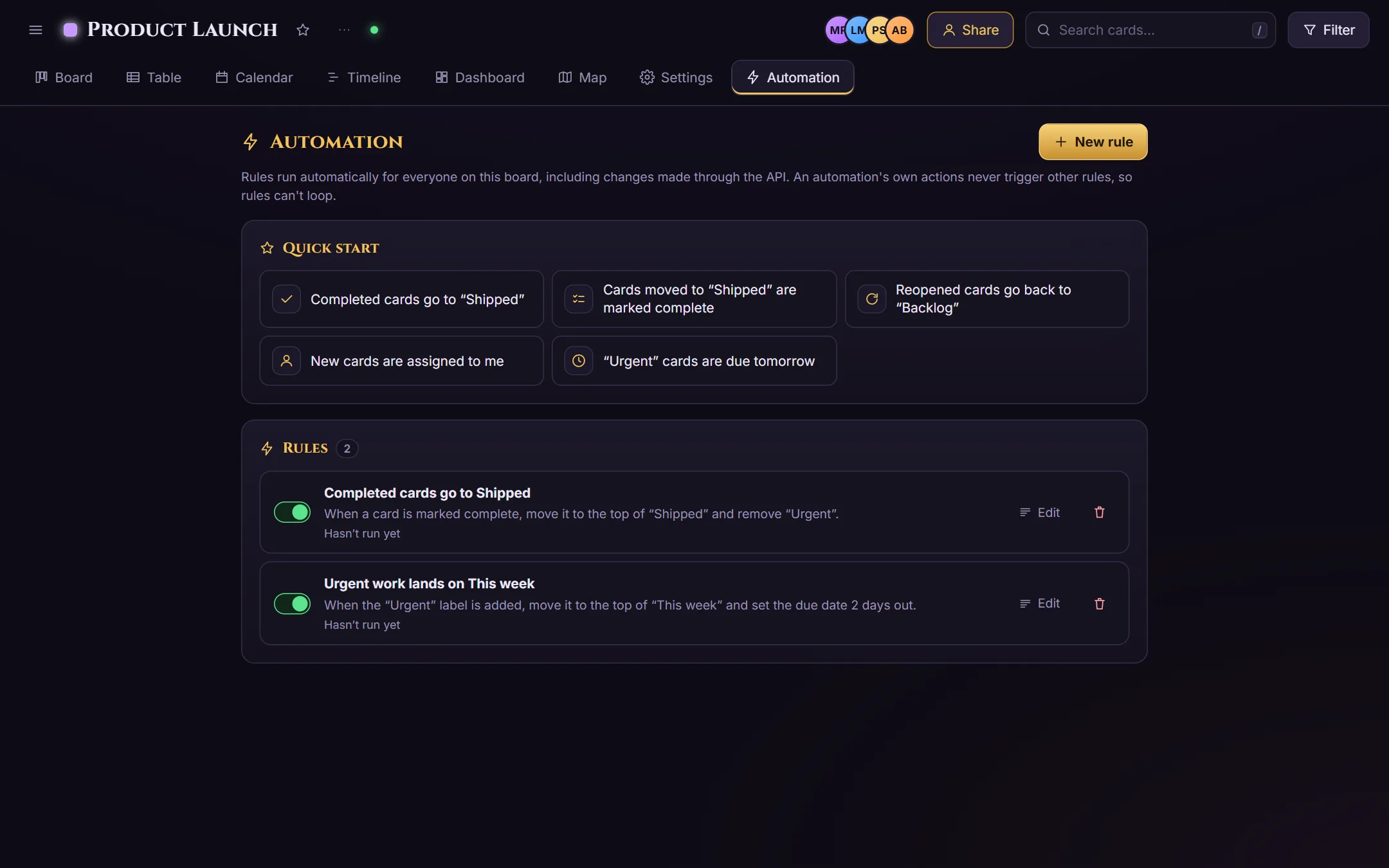
The automation page with rule templates and two active rules: completed cards go to Shipped, and urgent work lands on This week.

Built for teams

Everything a board needs, nothing it doesn't

  • Live collaboration

    Invite teammates by email. Every move and edit shows up for everyone on the board within a moment, no refresh needed.

  • Teams and ranks

    Teams own their boards. Create ranks with your own names, colors and permissions, and fine-tune any single card: who can edit, move, complete or archive it.

  • Rewards and styles

    Earn tokens as you work and as you finish the guided tour, then unlock holo lists, label palettes, board backgrounds and avatar frames.

  • Rich cards

    Descriptions, checklists, dates, members, unlimited labels, locations and photos (a photo's location can pin the card), all in one card every view understands.

  • Developer API

    Create API keys and read or update your boards from scripts, spreadsheets and other tools, with clear limits on each plan.

  • Secure by default

    Modern password rules with a breached-password check, strongly hashed passwords, and private boards that only members can see.

Pricing

Start free. Upgrade when the board does.

The team owner's plan unlocks every view for the whole team, so a team needs just one subscription.

Free

$0forever

For trying things out

  • Unlimited boards and cards
  • Board and Table views
  • 1 team of up to 3 people
  • 2 automations per board, live collaboration
  • Read-only API, 100 requests a day
Create a free account

Business

$29per month

For teams that live in their boards

  • Everything in Pro
  • Up to 20 teams of 100
  • Read and write API, 50,000 requests a day
  • Higher burst limits
  • Priority support
Choose Business

Need more than 100 seats? Contact us and we'll set you up.

Need more API requests? Credit packs start at $5 for 1,000 requests, and on the Free plan credits also unlock write access.

FAQ

Questions, answered

Is BoardHydra free?

Yes. The Free plan includes unlimited boards and cards, the Board and Table views, teams of up to 3, 2 automations per board, live collaboration and read-only API access. Pro adds the Calendar, Timeline, Dashboard and Map views and unlimited automations. New accounts can also answer a short in-app survey for 7 days of Pro, free.

Does everyone on my team need Pro?

No. The team owner's plan decides. When the team owner is on Pro, everyone on the team gets every view on the team's boards. Guests invited to a single board keep the Board and Table views.

How big can a team be?

Free accounts can create 1 team of up to 3 people. Pro allows up to 5 teams of 25, and Business up to 20 teams of 100. Need more seats? Contact us.

Can I automate my boards?

Yes. Build rules like "when a card is marked complete, move it to Done and remove its labels". Rules run on the server, so they work no matter who makes the change.

Does BoardHydra have an API?

Yes. Create API keys in your account settings. Free accounts get read-only access; Pro and Business include read and write access with higher daily limits, and credit packs cover extra requests.

Can I cancel my subscription?

Yes, any time from your account settings. Your boards and cards stay; the board just returns to the Free views.

How do I get help?

Email [email protected] and a real person will get back to you.

Your next board is a minute away

Sign up, and a starter board walks you through every view.

Start free